
Figure 3: Model Information Pane
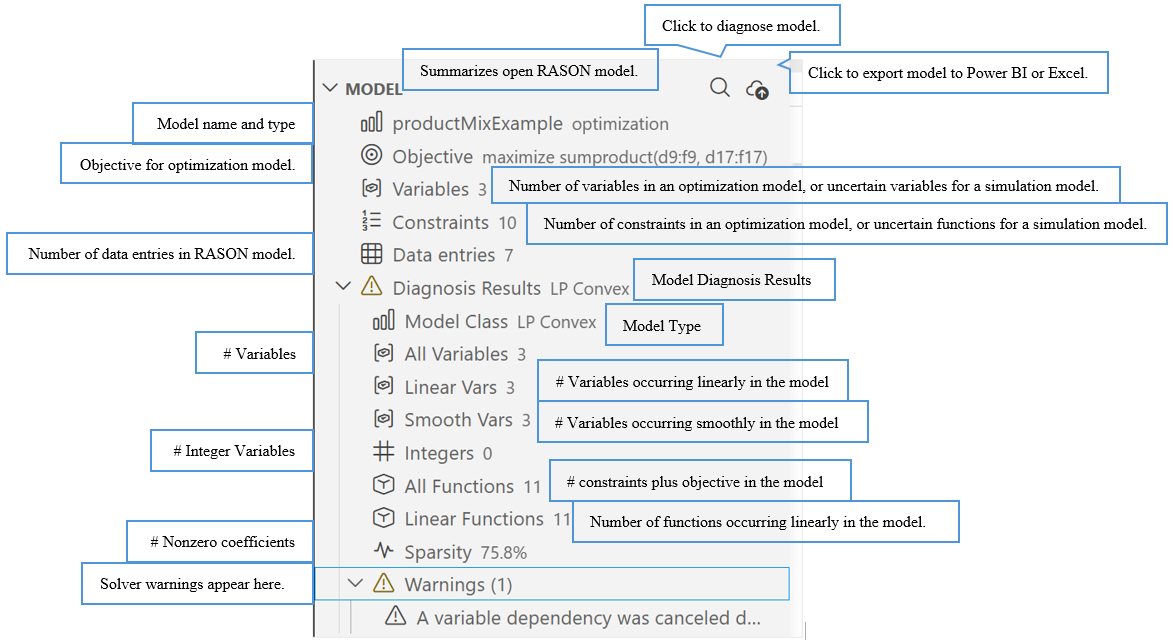
The left side of the RASON Desktop panel provides quick access to model details and examples.
- Model Info summarizes the currently open RASON model. For optimization models, it shows the model name and type, objective, variables, constraints, and data entries.
- For simulation models, Model Info shows the model name and type, uncertain variables, uncertain functions, and data entries.
- Use Diagnose to analyze the open model for errors, formulation issues, or model classification details. When diagnosis results are available, they appear below the Diagnose command.